Tasks & Checklists
Recurring and one-off tasks and checklists that give the frontline clear work with context, and give HQ proof of execution across every location.
Delightree gives HQ a live view of every location's checklists and tasks, so a missed opening checklist shows up that morning instead of on the next visit.
HQ sends a rollout by email and finds out weeks later which locations did it.
Opening and closing checklists live on paper, so nobody at HQ ever sees them.
Each region tracks daily work in its own spreadsheet.
A task assigned to a manager who is off that day doesn't get done.
Field teams learn a location skipped its checklists only when they visit.
Locations that skip daily checklists drift from your brand's operating procedures, and HQ hears about it from customer reviews.
Every rollout costs HQ a week of follow-up calls.
More time is spent on field visits collecting statuses instead of coaching.
Location managers fill out safety checklists from memory at the end of the month.
Without photo proof, HQ can't tell whether a location did the work or only marked the checklist complete.
A specific sequence of steps that moves the outcome from broken to working.
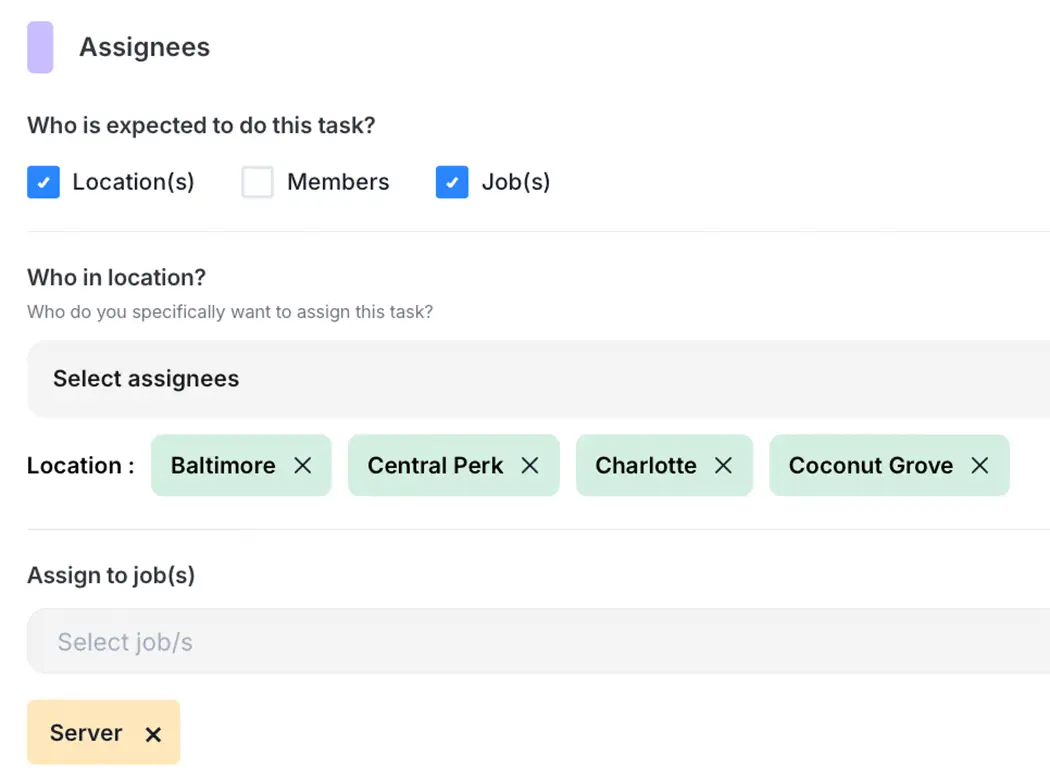
Send a task or checklist to every location at once, or only to the roles it applies to.
Choose how each task gets done: anyone on shift can finish it, roles complete it in order, or only the manager sees it, as with cash counts.
Schedule a checklist once for 7am, and it opens at 7am local time at every location, with a set window to submit it.
Staff attach photos or video to the step itself, and Delightree records where and when each was taken. With no signal, the work saves on the phone and syncs later.
When someone calls out, a supervisor reassigns their work in one move and sees what is at risk across their locations before the shift ends.
Send a task or checklist to every location at once, or only to the roles it applies to.
Choose how each task gets done: anyone on shift can finish it, roles complete it in order, or only the manager sees it, as with cash counts.
Schedule a checklist once for 7am, and it opens at 7am local time at every location, with a set window to submit it.
Staff attach photos or video to the step itself, and Delightree records where and when each was taken. With no signal, the work saves on the phone and syncs later.
When someone calls out, a supervisor reassigns their work in one move and sees what is at risk across their locations before the shift ends.
Before Delightree
After Delightree
Recurring and one-off tasks and checklists that give the frontline clear work with context, and give HQ proof of execution across every location.
Digital forms and checklists that franchisees complete on any device, with real-time tracking of who has submitted and cloud storage so records are easy to retrieve for audits.
Role-scoped dashboards that show task completion, training, audits, and launch status in real time, with each role seeing exactly its slice of the hierarchy.
Franchise crews change shift by shift, and HQ rarely knows who will be working on a given day. Delightree assigns each task to the location, so whoever is working that shift can complete it, even when the usual manager is off.
Adoption
The real problem is adoption. Delightree is built for the person in the location, so franchisees log in and use it.
Visibility
See every location in real time, scoped to every role.
A short interactive demo, or a live one with our team. Your call.