Speed
Faster resolution times
Tickets route to the right person the moment they're submitted, so your team spends less time sorting and forwarding requests.
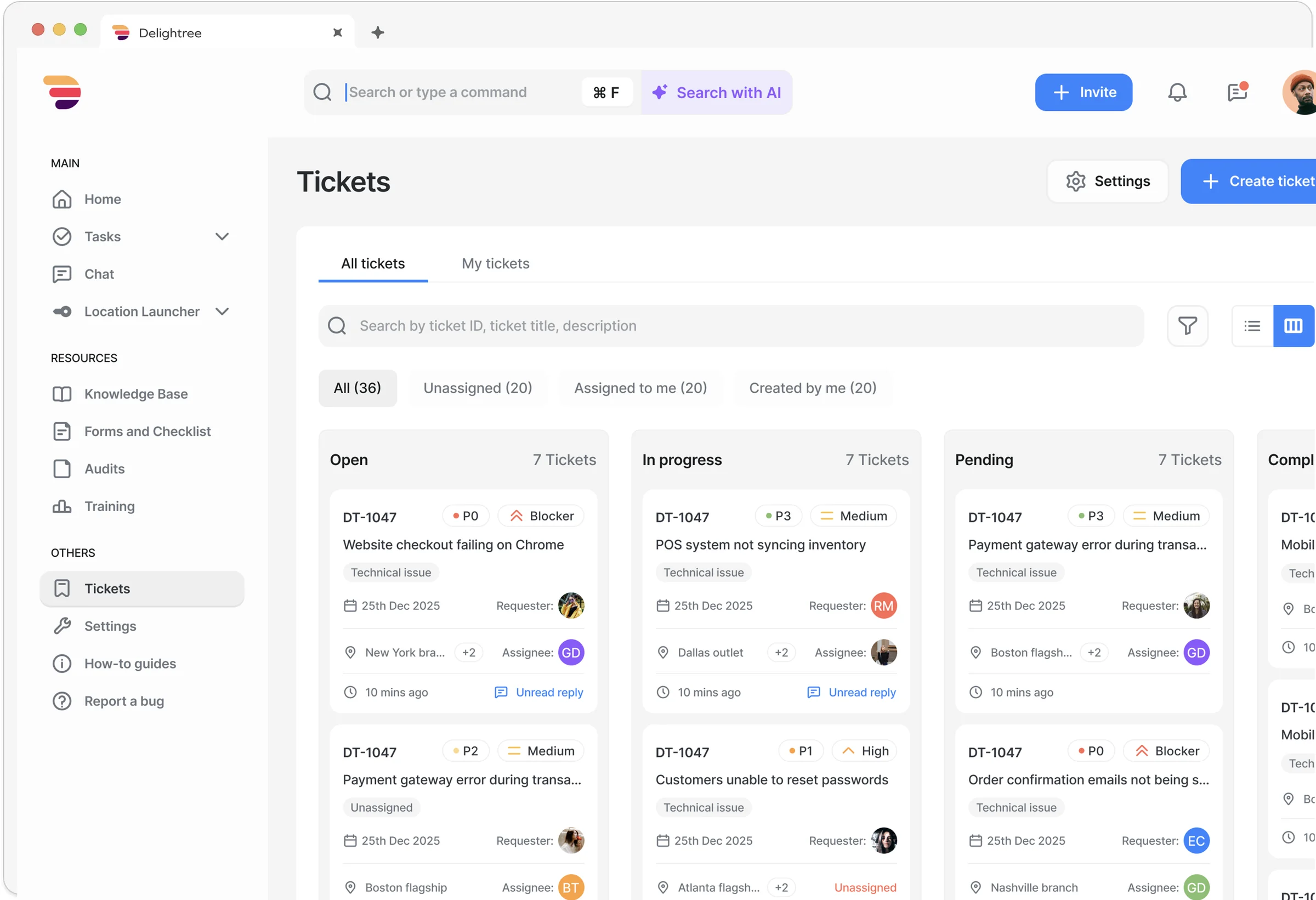
Delightree Support Tickets is a franchise support ticket system built for multi-location operations. It centralizes support requests from every franchisee and location into one platform with automatic category-based routing, severity tracking, real-time status updates, and a live dashboard for full visibility across your network.

![[solidcore] logo](/assets/customer-logos/solidcore-black-logo-logo.png)





Trusted by franchise and multi-location brands
Franchise operations teams handle dozens of support requests every day across email, chat, phone, and hallway conversations. You need a franchise support ticket system built for multi-location operations, not a generic help desk bolted onto your stack.
In the words of franchise operators who track requests and follow-ups through email and weekly updates today.
“We do so much through email that they don't read. We've lost the ability to do a standardized check-in that actually lands.”
“I spend my mornings chasing down what happened at each job yesterday. By the time I know there's a problem, the customer has already called.”
“We do the audit, write up the findings, assign them by email, and then nothing. Six weeks later we're back in the same location with the same issues because nobody tracked whether the fix actually happened.”
“Things fall through the cracks because it all relies on one person having visibility. We're only getting updates weekly.”
Support Tickets helps overcome typical hurdles.
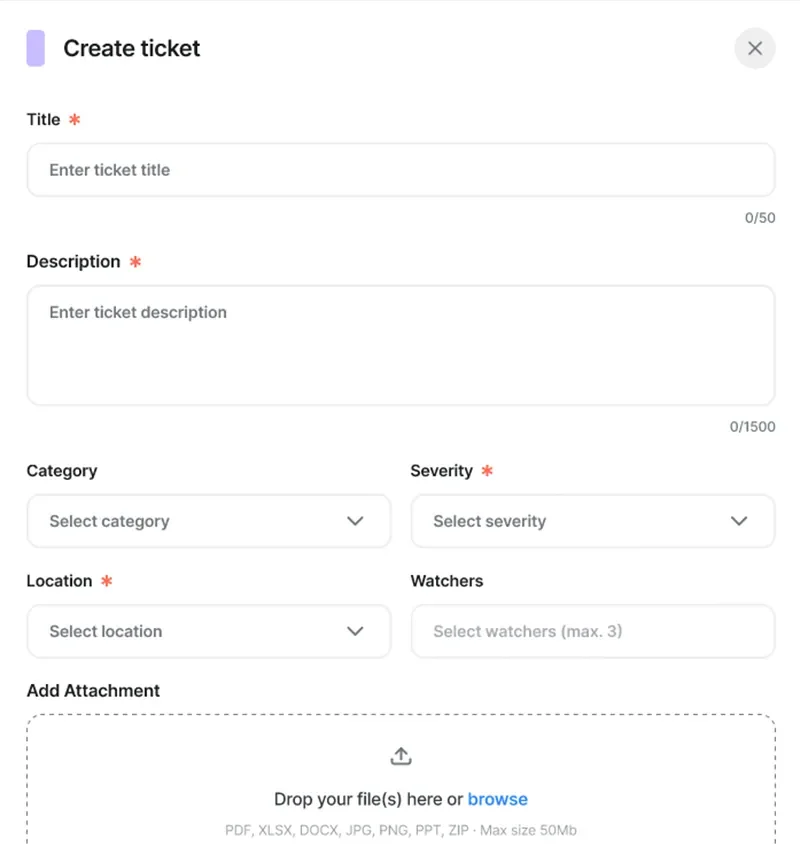
Any user can create a ticket with a title, description, and severity level. Every ticket gets a unique ID, a full conversation thread, and real-time status tracking from Open through Closed.
Frontline staff and franchisees create a ticket, describe the issue, and track progress from a clean "My Tickets" view. They get notified when something changes. That's it.
Every ticket is tagged with a severity level (Blocker, High, Medium, or Low) so your team knows what to handle first. Filter by severity across the queue to make sure the urgent issues get attention before the routine ones pile up. When requests are buried in email, that window closes before you even see it.
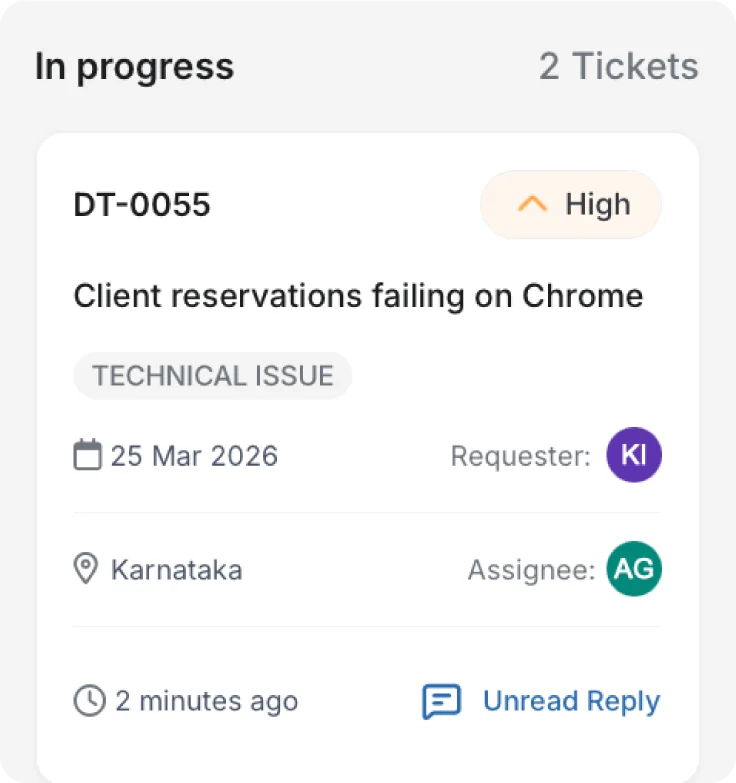
Automatic routing eliminates manual triage entirely. Create categories (Operations, Marketing, Technical, or your own) and assign owners. When a ticket comes in under a category, it routes to the right person and triggers a notification.
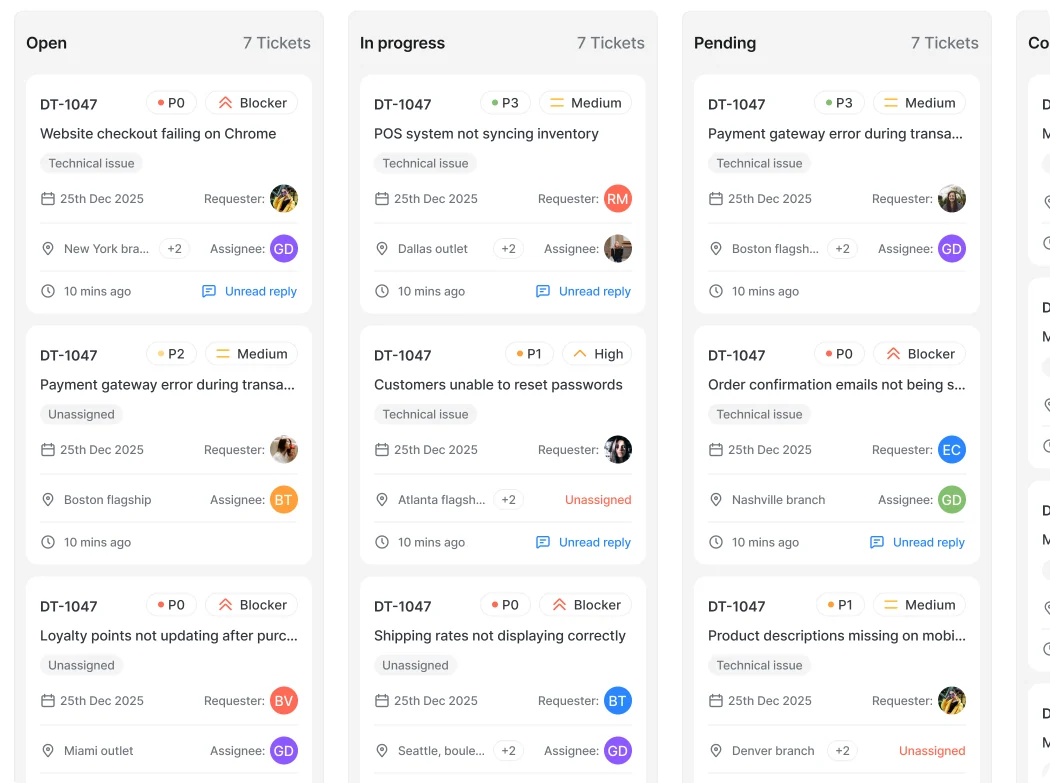
A Kanban-style dashboard gives your team a real-time view of every open ticket organized by status. Combine this with Reports and Analytics for deeper insights across your franchise network.
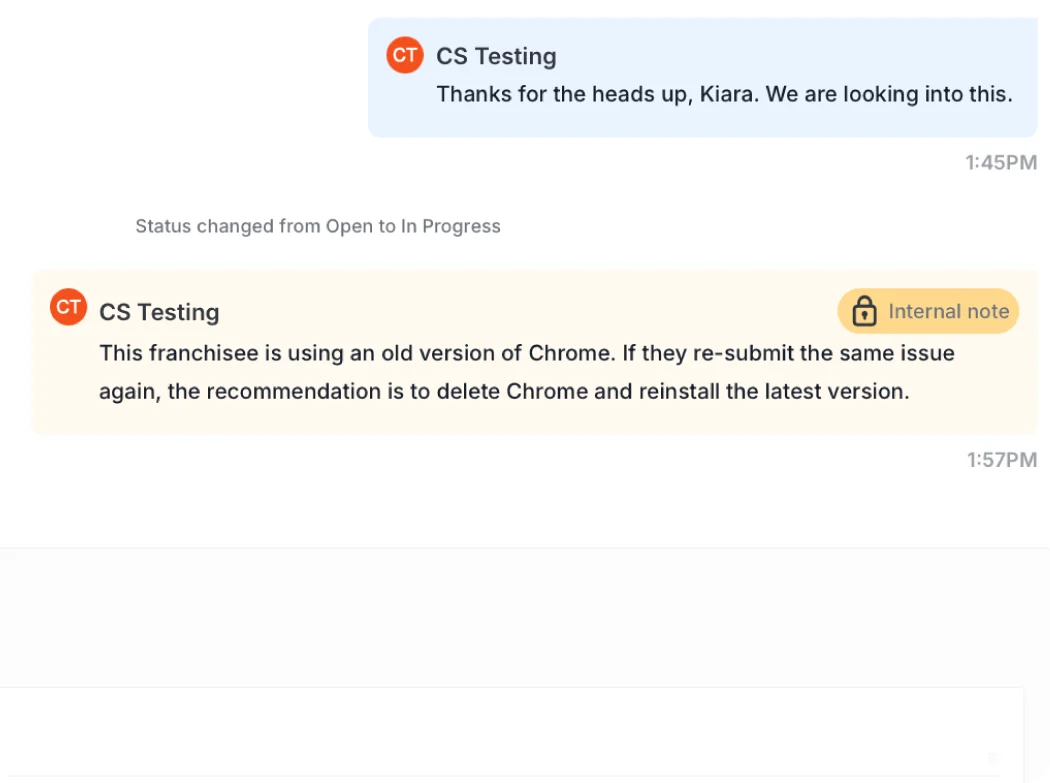
Internal notes let your support team coordinate behind the scenes without exposing that discussion to the requester. Every note is logged in the activity stream for accountability.
Speed
Tickets route to the right person the moment they're submitted, so your team spends less time sorting and forwarding requests.
Visibility
Track every open issue from one dashboard. Know what's been reported, who's handling it, and where things stand.
Accountability
Replace scattered emails and calls with a system that logs every request, every response, and every resolution.
Franchisors using Support Tickets can:
Capture issues from across your network in one place instead of tracking them through email, chat, and phone.
Set up categories with assigned owners so tickets reach the right person the moment they're submitted.
See every open ticket organized by status on a Kanban dashboard, or filter by severity, assignee, and type in list view.
Use internal notes to align your support team behind the scenes without exposing that discussion to the requester.
Most franchise brands track support requests across email inboxes, chat threads, phone calls, and spreadsheets. Delightree replaces the stack.
Traditional help desks are built for customer support. Delightree is built for franchise operations. Tickets flow between franchisees and HQ with location context, category-based routing, and internal notes that keep coordination separate from the conversation. There's no need to adapt a customer-facing tool to your internal operations.
Yes. Franchisees and frontline staff can create tickets, add details, and track progress from both mobile and web. They'll get notifications when the status changes, so they don't need to follow up manually.
You create categories (like Operations, Marketing, or Technical) and assign an owner to each. When a franchisee submits a ticket under a category, it's automatically routed to the assigned person with a notification. No manual triage needed.
Every ticket can be tagged as Blocker, High, Medium, or Low. Your team can filter the queue by severity to make sure urgent issues get attention before routine requests pile up.
Yes. Internal notes let your support team coordinate behind the scenes. These notes are visible only to HQ staff and are logged in the activity stream for accountability, but the franchisee only sees the main conversation thread.
The Kanban-style dashboard shows every open ticket organized by status in real time. You can also switch to a list view and filter by severity, assignee, ticket type, location, and date range.
Discover how Delightree's Support Tickets can streamline your franchise support requests.