7 Essential Features of a Restaurant’s Online Food Ordering System
The seven features every restaurant online ordering system needs, from quick sign-up and menu filters to secure payments and order tracking.
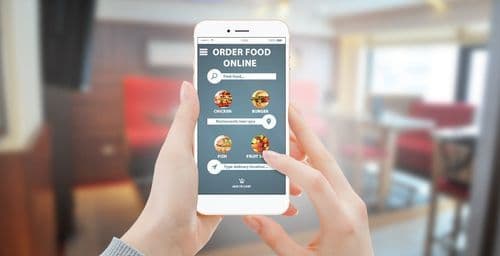
Technology keeps reshaping how restaurants run, and online ordering is one of the clearest examples. From taking orders to coordinating home deliveries, new tools help restaurants reach new customers, fill their demand, and keep overhead in check. Many leading food chains now build online ordering into the customer experience to stay competitive.
According to the National Restaurant Association, over 85% of restaurant owners had already brought technology into their business to manage daily operations, and over 40% of restaurants gave customers a way to order food online. If you run a food service business, this guide walks through why you might shift toward online ordering and how to build it well.
Online food ordering as an income source
Setting up a restaurant online ordering system takes time, but it pays back over the long run. Since many customers prefer to order online, it opens revenue for restaurants, cloud kitchens, and larger chains alike.
According to Restaurant Business, about 60% of operators said that offering delivery helped them generate incremental sales. Major chains lean on online ordering to cut wait times, reduce operating costs, and keep the customer experience smooth.
Before you build the system, remember that this is the tool your customer uses to order from your restaurant. It needs features that make ordering clear and convenient. The must-have features are below.
7 must-have features of an online food ordering system
1. Simple registration and sign-up
First impressions matter, and so does convenience. Keep the signup process quick and easy. Let users log in with an existing Google or Facebook account, and let them edit and customize their profile around their preferences.
2. Filter and search
A clear, easy-to-read menu with an obvious call to action like ‘Order Now’ keeps customers from wandering through your site or app. Organize each menu item by cuisine, food type, dish, and rating so customers can filter quickly and place an order. Use their preferences to send relevant food recommendations.
3. Smooth order management
Customers tend to add and remove items before they commit, so give them a one-click add-to-cart. An order scheduling feature also helps, letting customers pick a specific time to receive their delivery.
4. Easy and secure payments
Payment comes last in the order flow, but a single snag can send a customer away for good. Keep the payment process simple and offer multiple secure gateways. Common methods include credit and debit cards, net banking, PayPal, Google Pay, mobile wallets, and cash on delivery. Promo and coupon codes are a good way to bring customers back.
5. Access to delivery driver details
Share the delivery driver’s details with the customer so both sides can reach each other if something comes up. Delays often happen in transit rather than in the kitchen, and a driver contact number helps the customer follow up and keep the order moving.
6. Real-time tracking
Real-time tracking lets customers watch the delivery move and see an estimated arrival time. Mapping APIs such as Google Maps and MapKit support this feature, and most leading delivery apps use it to set clear expectations for the customer.
7. Ratings and reviews
Customers want to feel heard, and that builds loyalty. A ratings and reviews feature gives you a fast read on how people respond to your ordering system and shows you what to fix to improve the experience.
Online ordering can do a lot for a food business. Adopt the trend, build these features into your system, and give customers an experience that keeps them coming back. Customer satisfaction is the foundation of a successful restaurant.
See how Delightree works for your network
Walk through the platform with the team. No slides, just a real look at how it fits the way you operate.